A day at the front desk, in sixteen clicks.
Real screens from Ithaca, on a sample hotel. Check a guest in, send a bill to a company, clean the room from the mobile app, and close the day. Click the highlighted control at each step, or use the arrow keys.
The front desk screens are best seen on a tablet or computer.
Step 1 of 16 · Front desk
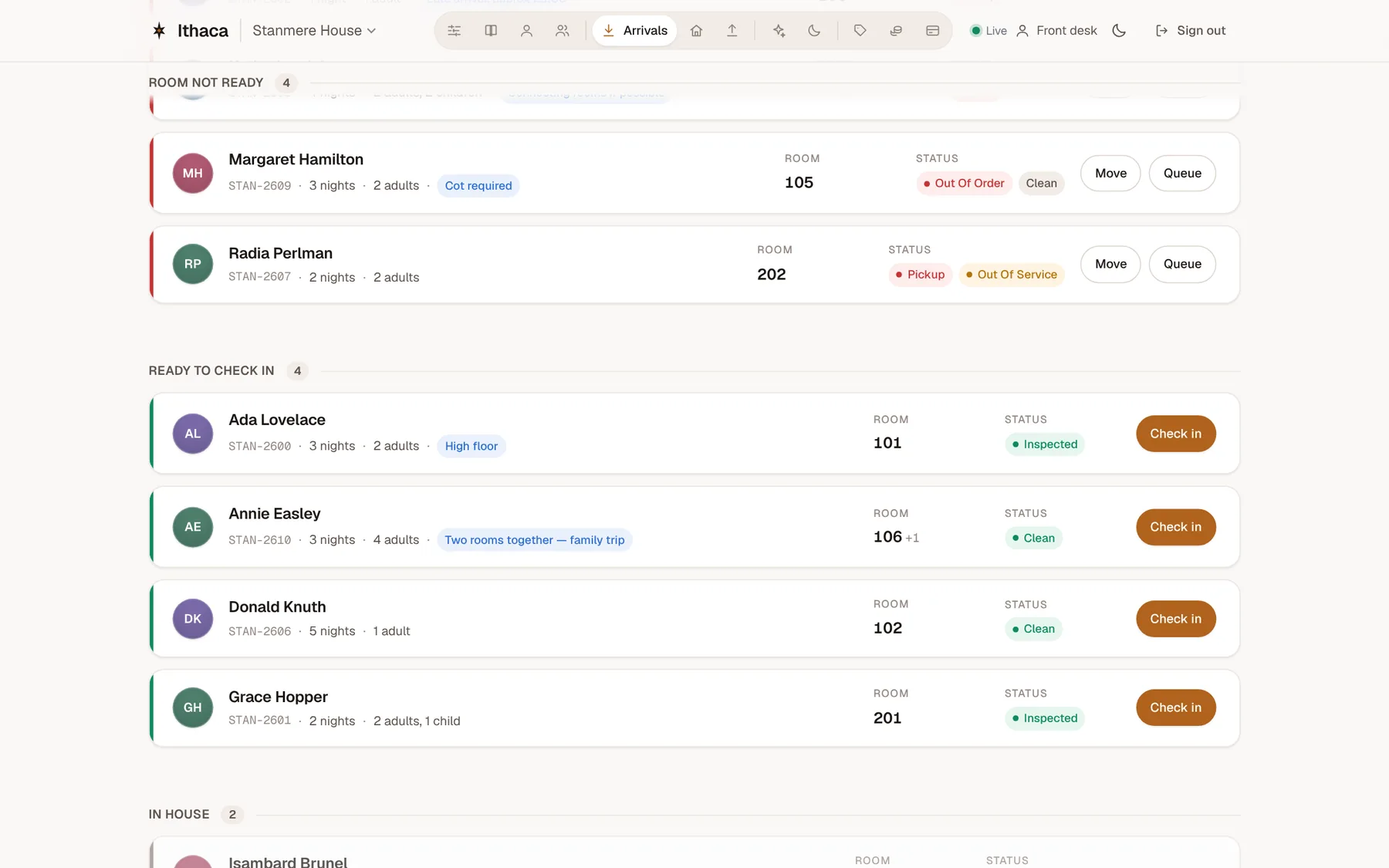
Today's arrivals
Every guest arriving today, sorted by what's stopping them: no room yet, room not ready, or ready to go. Ada Lovelace's room is inspected. Check her in.
Click the highlighted control to go on.
Step 2 of 16 · Front desk
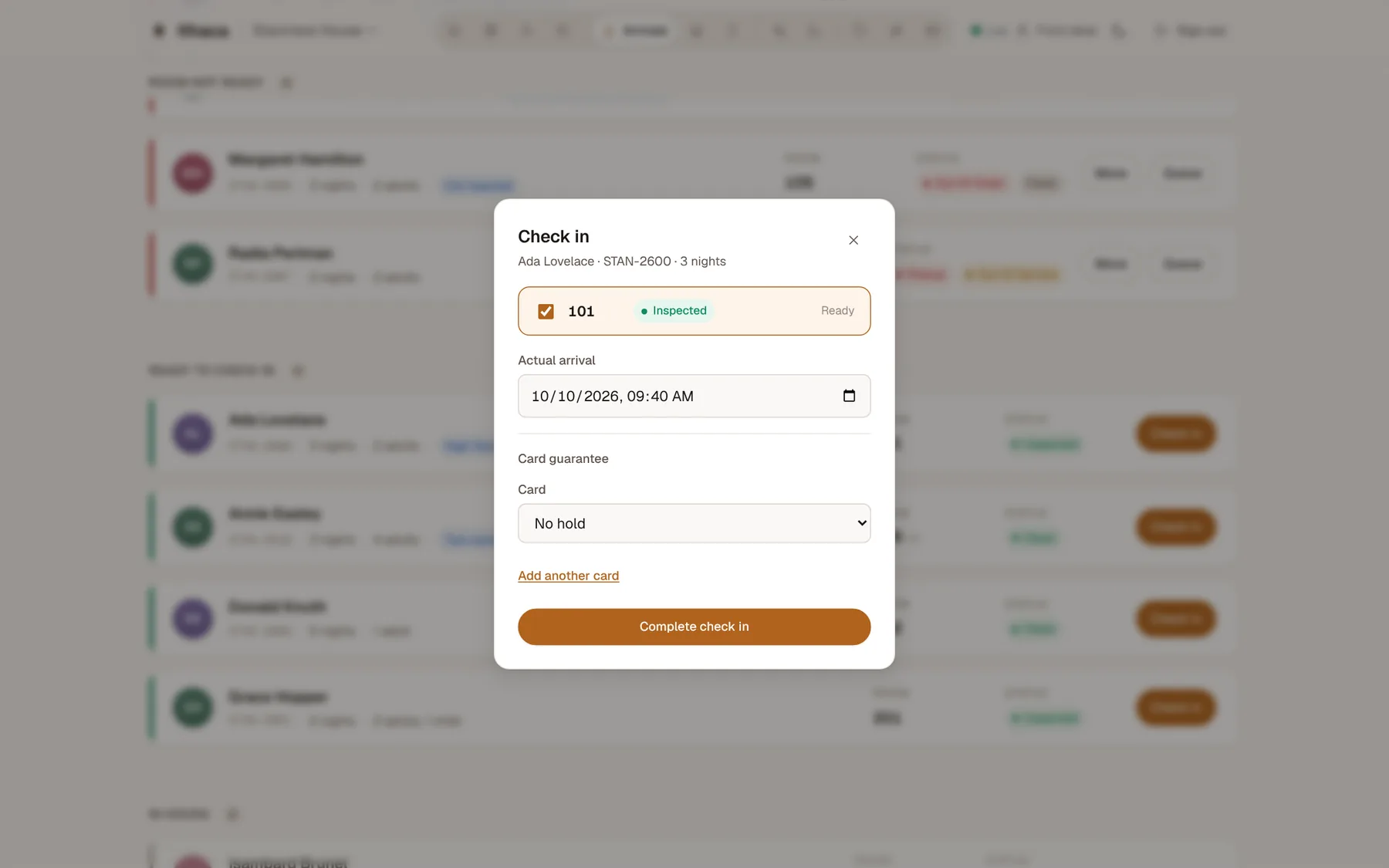
One dialog, then she's in
Room, arrival time and card guarantee on one screen. No "Are you sure?" — confirm and the stay opens, her bill starts and housekeeping knows the room is occupied.
Click the highlighted control to go on.
Step 3 of 16 · Front desk
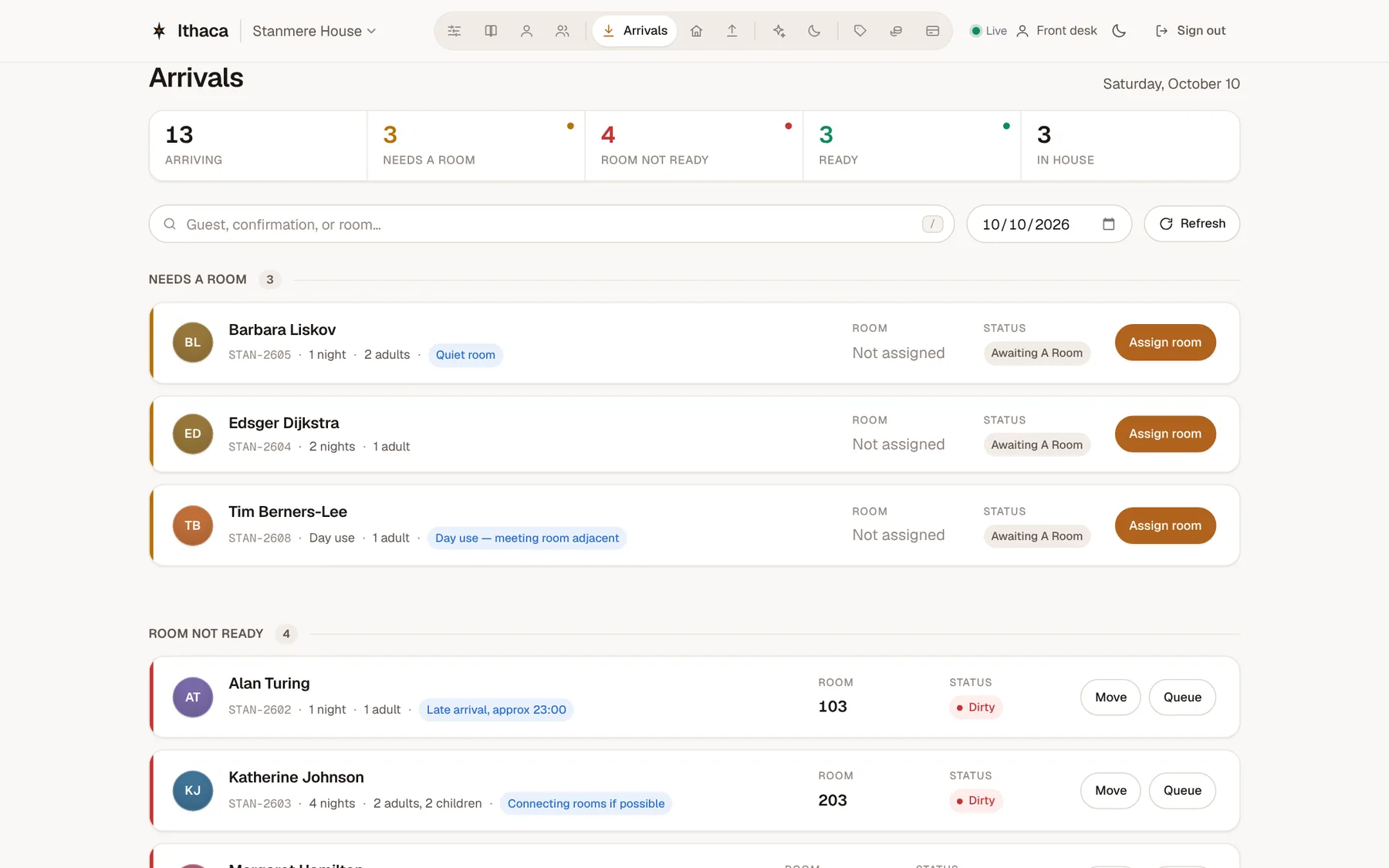
A guest with no room yet
Edsger Dijkstra is arriving and hasn't been given a room. Assign one.
Click the highlighted control to go on.
Step 4 of 16 · Front desk
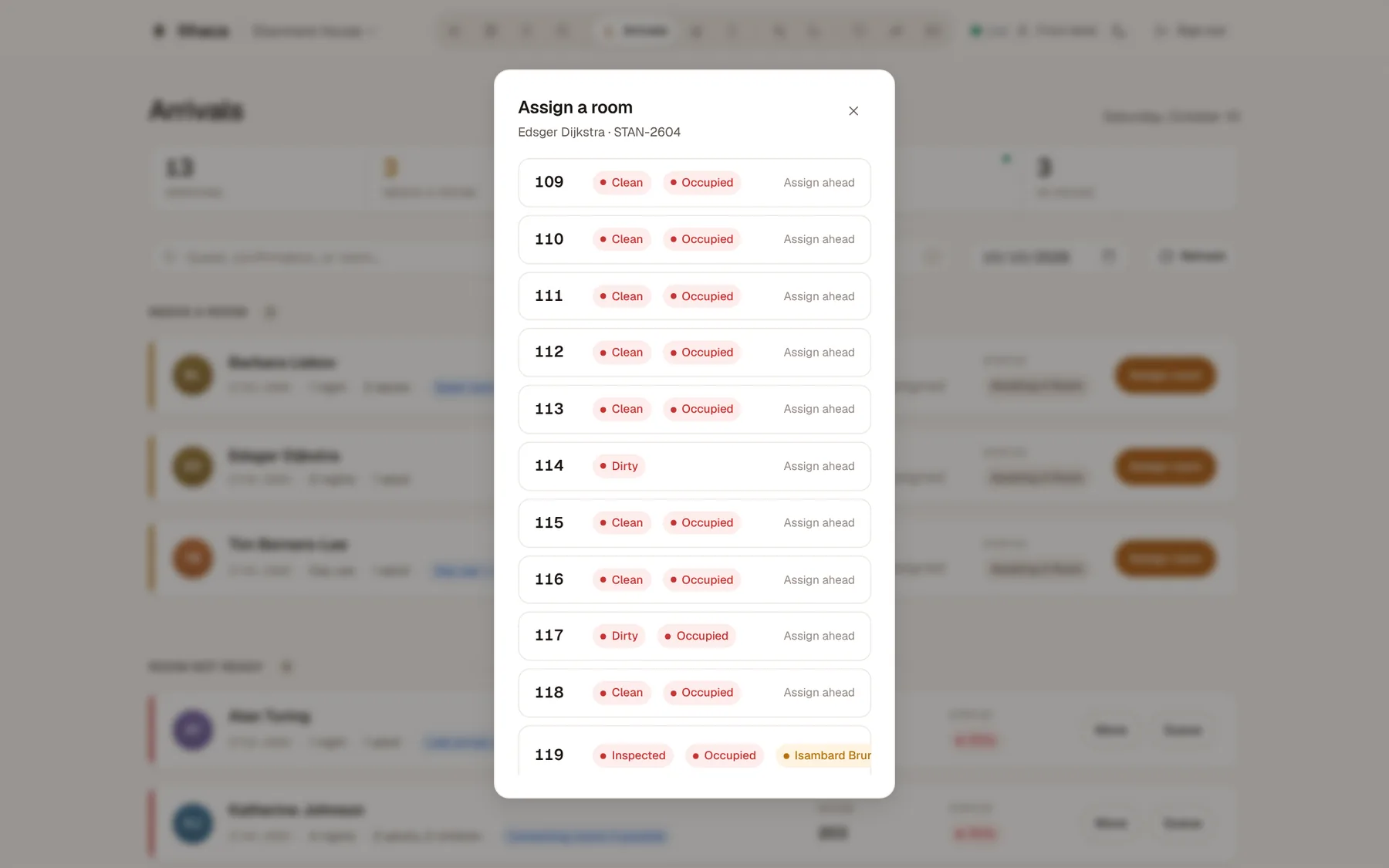
Every room, with its state
Clean, dirty, occupied, out of order, already promised to someone else — the picker shows the whole house, so nobody double-books a room. This one is empty and just needs cleaning; he gets it the moment housekeeping is done.
Click the highlighted control to go on.
Step 5 of 16 · Front desk
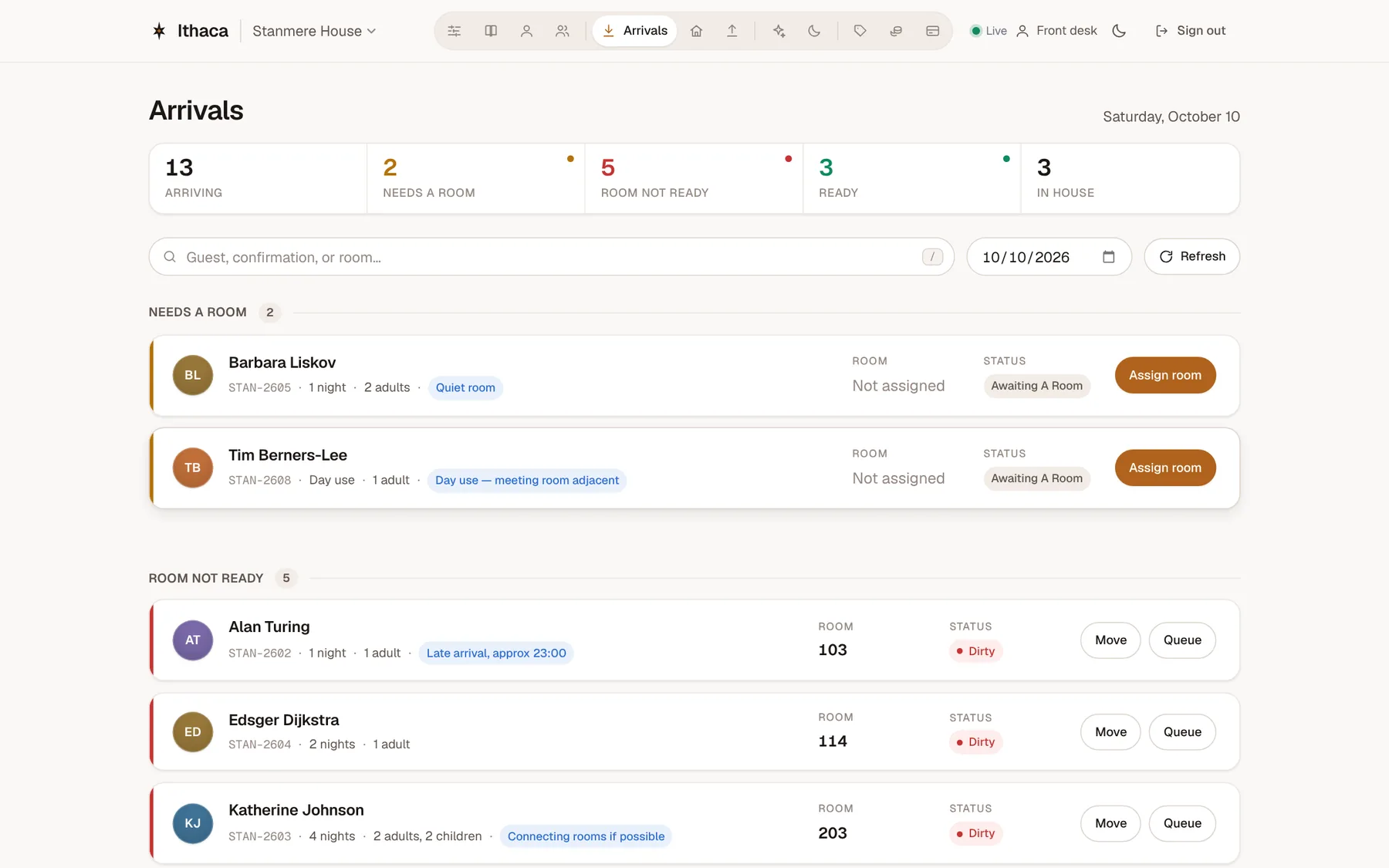
On to departures
Every board is one click away along the top. Open departures.
Click the highlighted control to go on.
Step 6 of 16 · Front desk
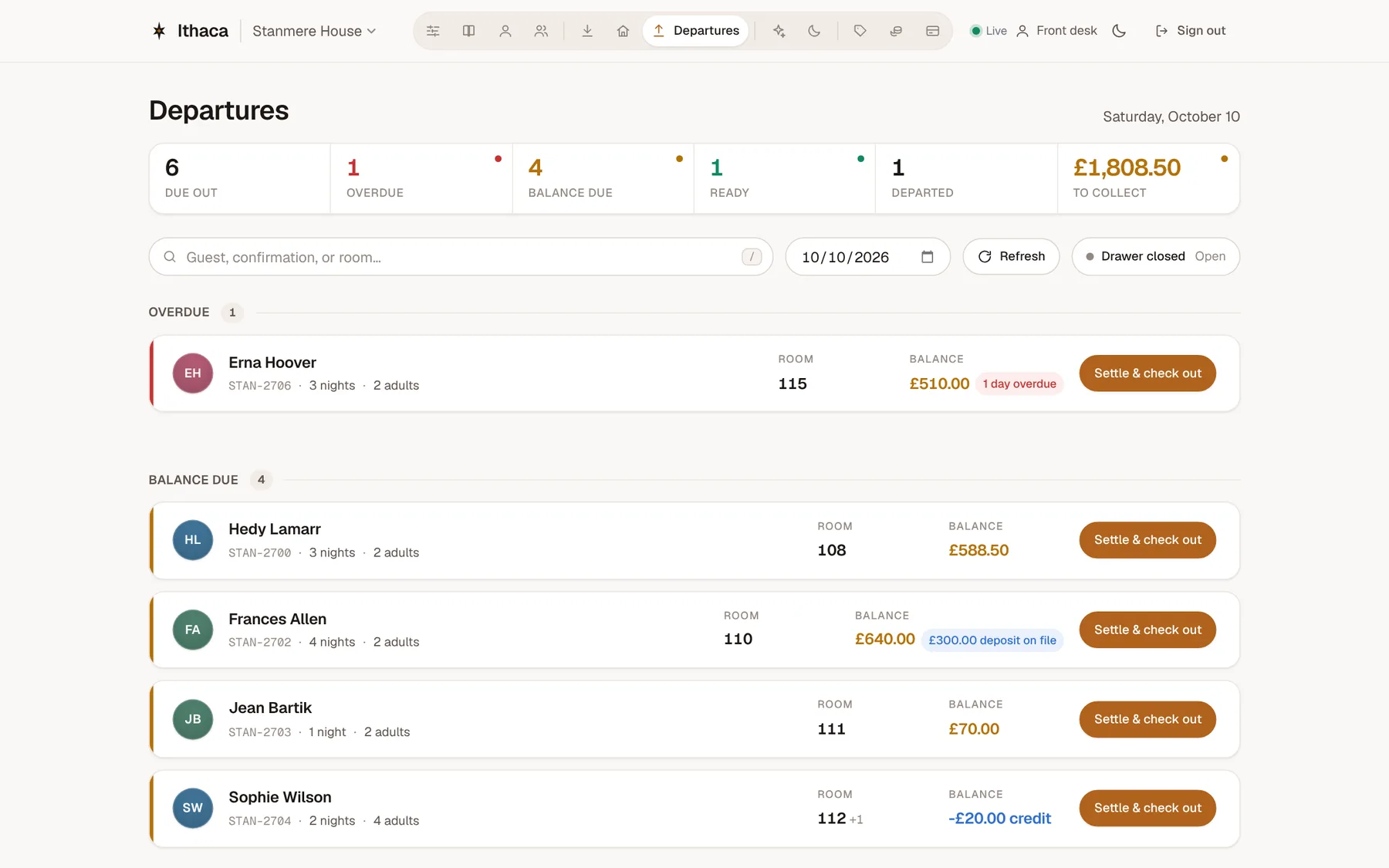
Who's leaving, and what they owe
Departures are grouped by what's in the way: overdue, balance still due, ready to go. Hedy Lamarr owes for breakfasts and the minibar.
Click the highlighted control to go on.
Step 7 of 16 · Front desk
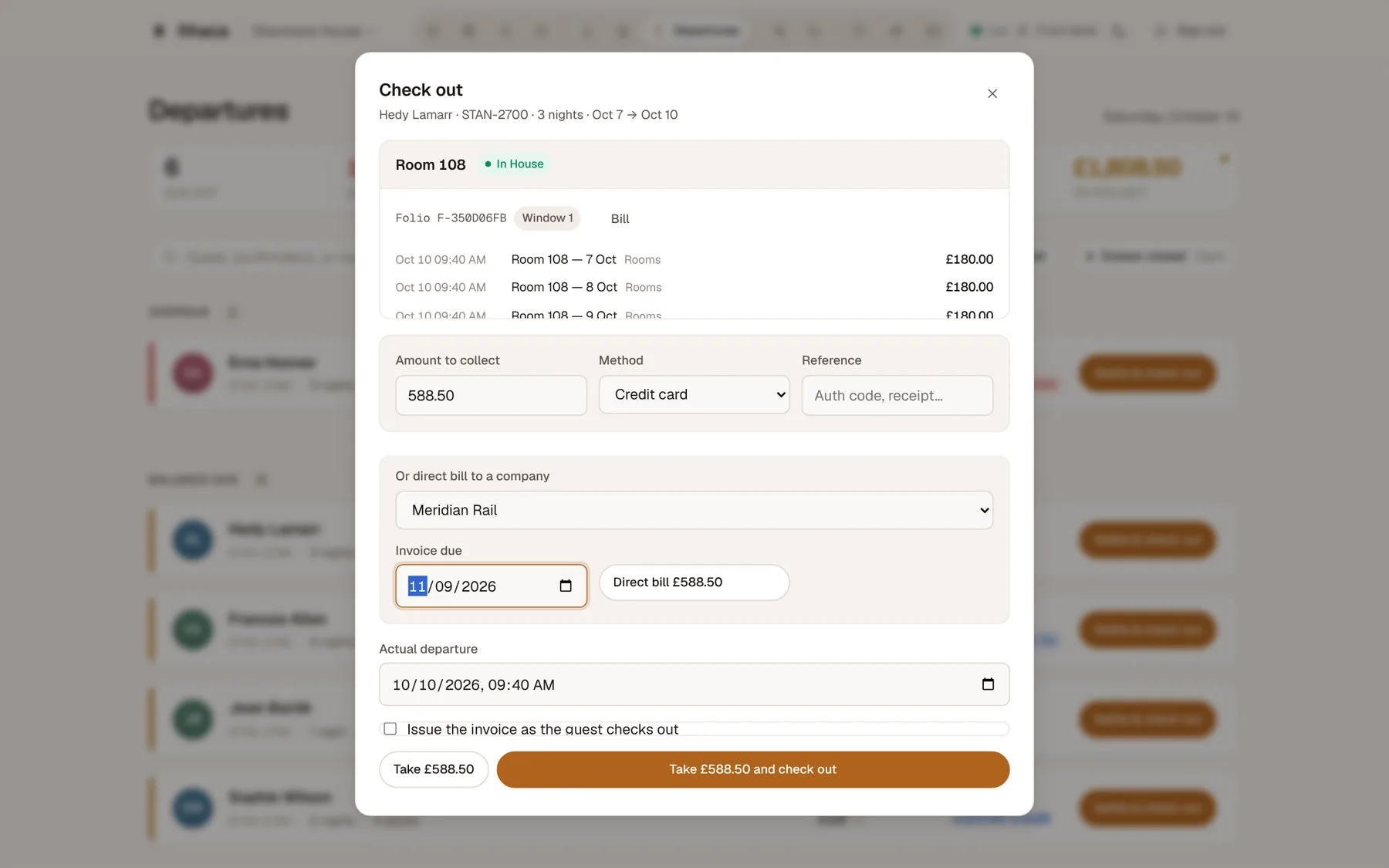
Her company pays
The bill, line by line. Her company has an account with the hotel, so send the balance there — the invoice is raised for the accounts team automatically.
Click the highlighted control to go on.
Step 8 of 16 · Front desk
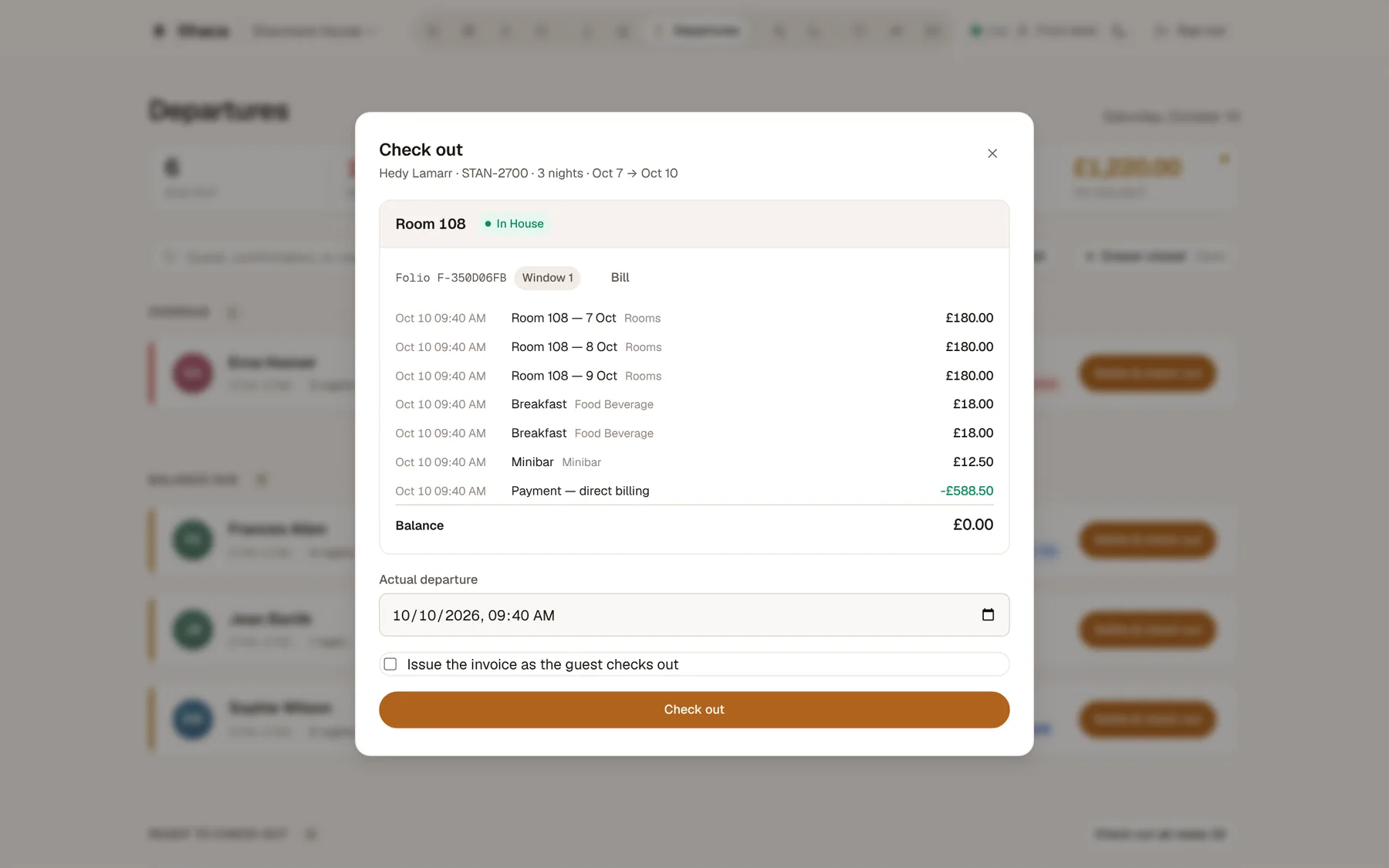
Balance cleared — check her out
Nothing left to pay. Checking out frees the room and puts it straight onto housekeeping's list.
Click the highlighted control to go on.
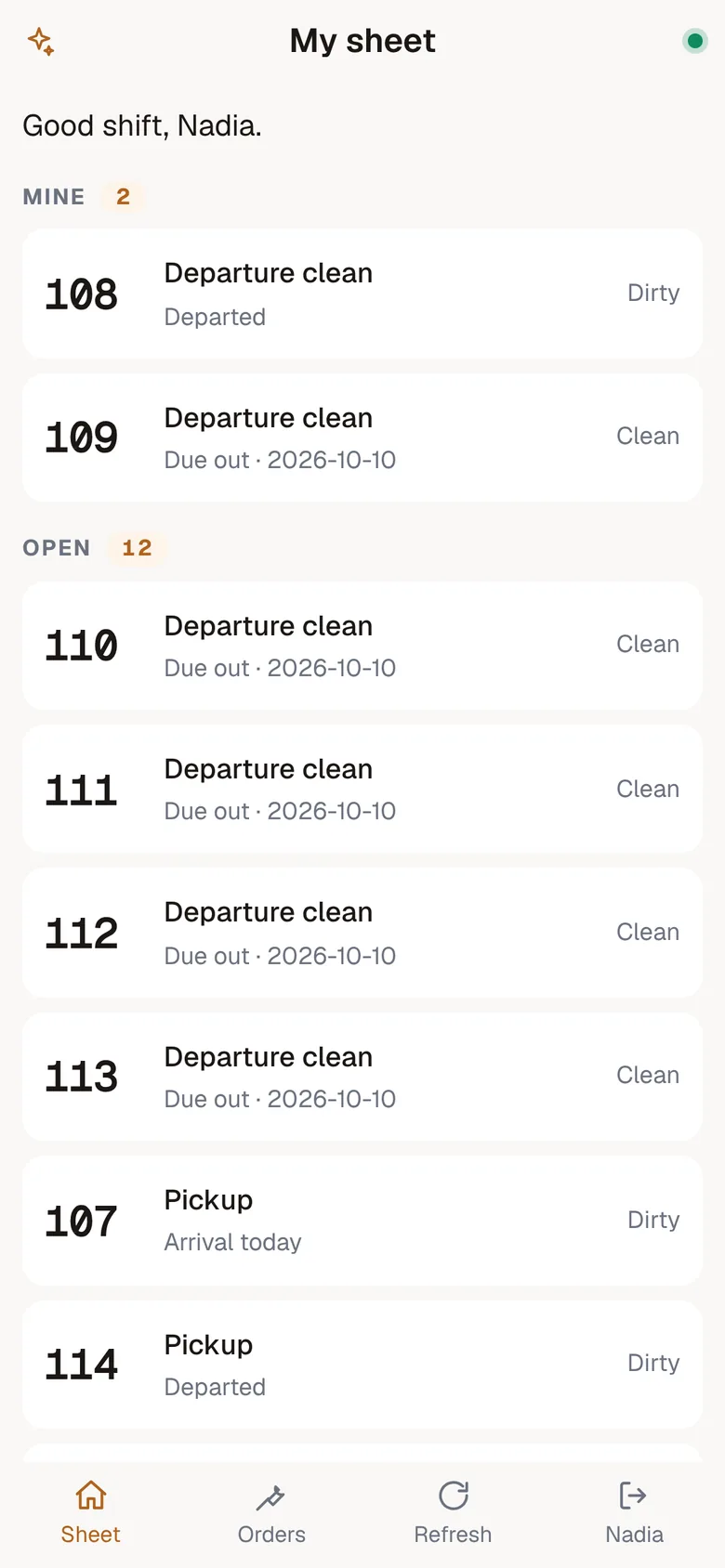
Step 9 of 16 · Mobile app
Meanwhile, on the floor
Housekeepers and engineers use the Ithaca mobile app on their phone. Room 108, the one Hedy just left, is already on Nadia's sheet. Open it.
Click the highlighted control to go on.
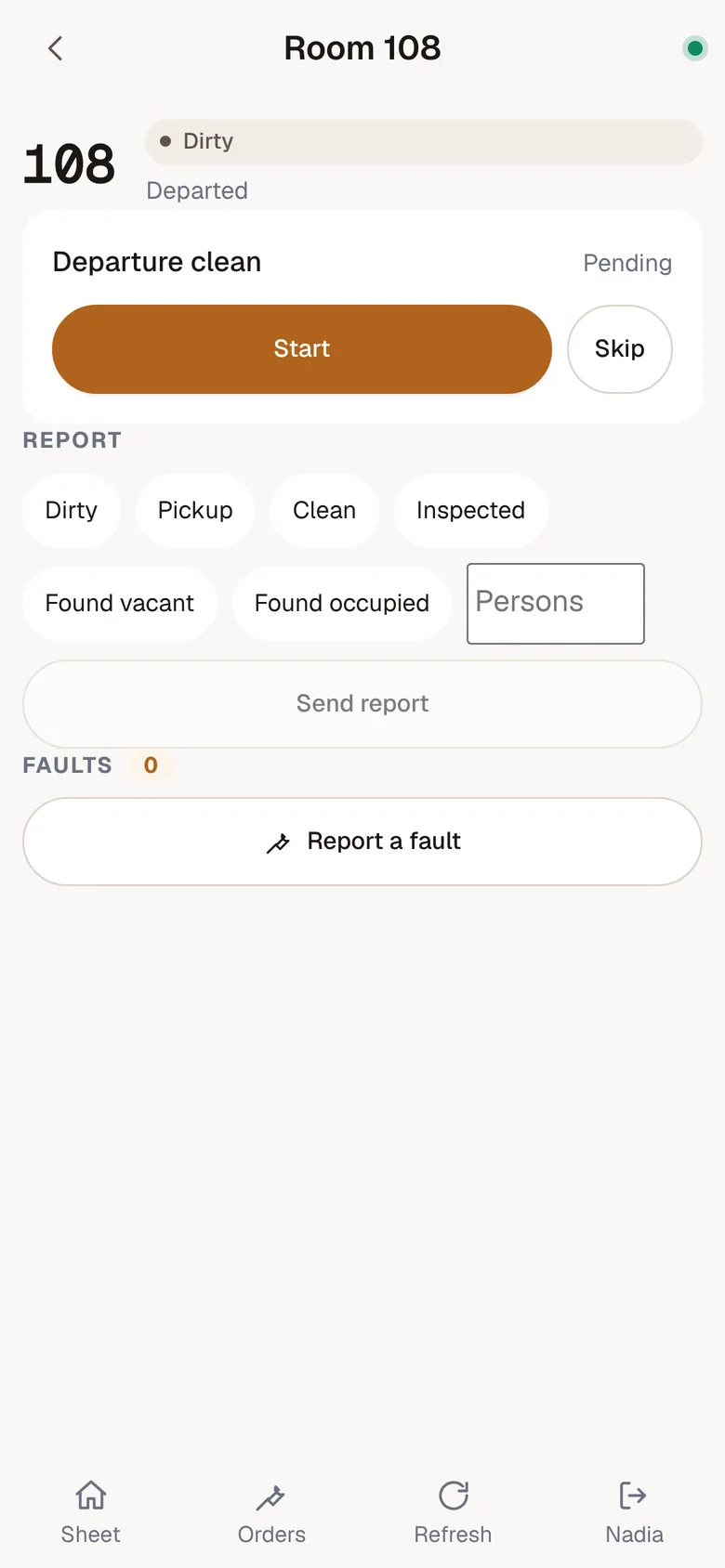
Step 10 of 16 · Mobile app
Room 108: start cleaning
One tap to start. The front desk can see the room is being cleaned right now.
Click the highlighted control to go on.
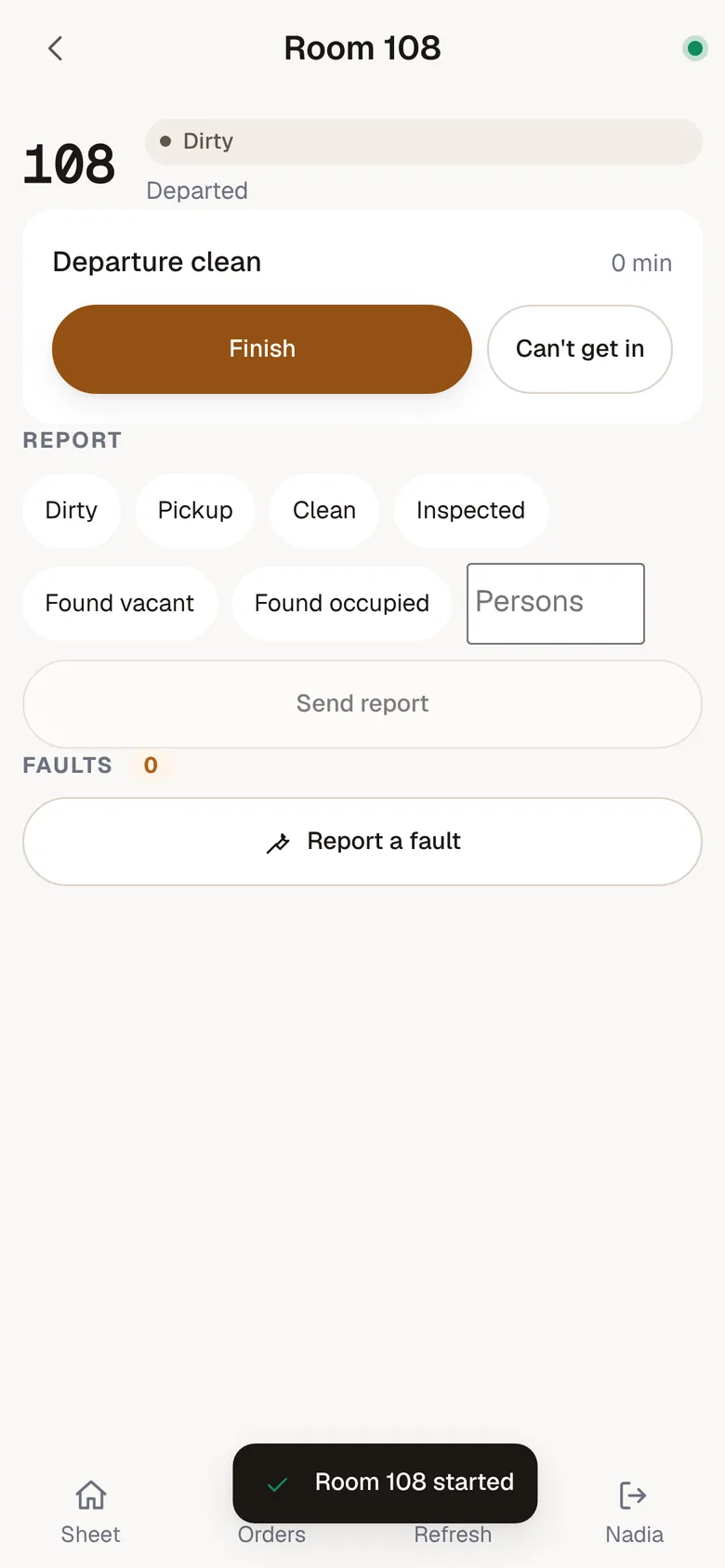
Step 11 of 16 · Mobile app
Done? Finish it
Finish records the room's new state in the same tap. No paper sheet, no calling down to the desk.
Click the highlighted control to go on.
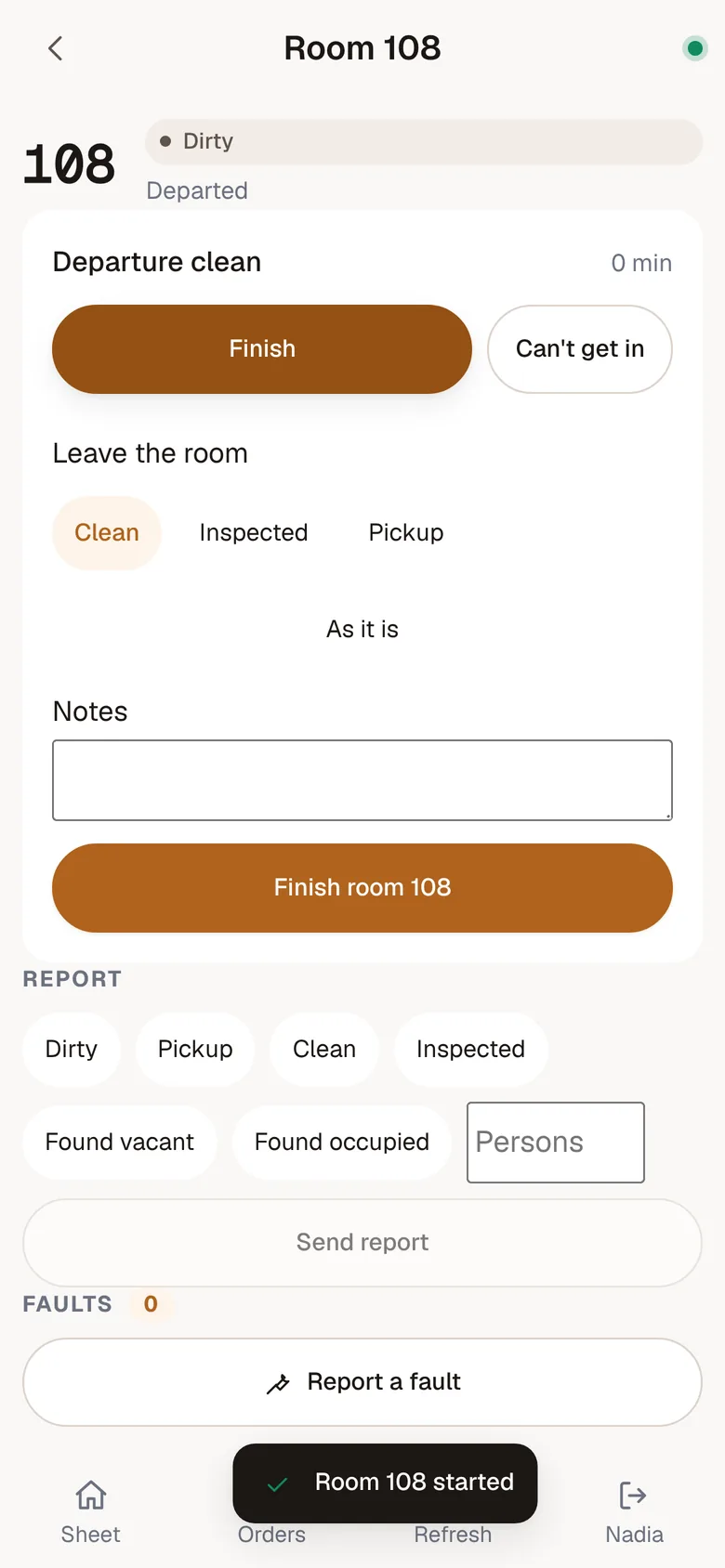
Step 12 of 16 · Mobile app
Clean, and ready to sell
Leave it clean and finish. If she couldn't get in, she says so here instead — and the desk sees the reason.
Click the highlighted control to go on.
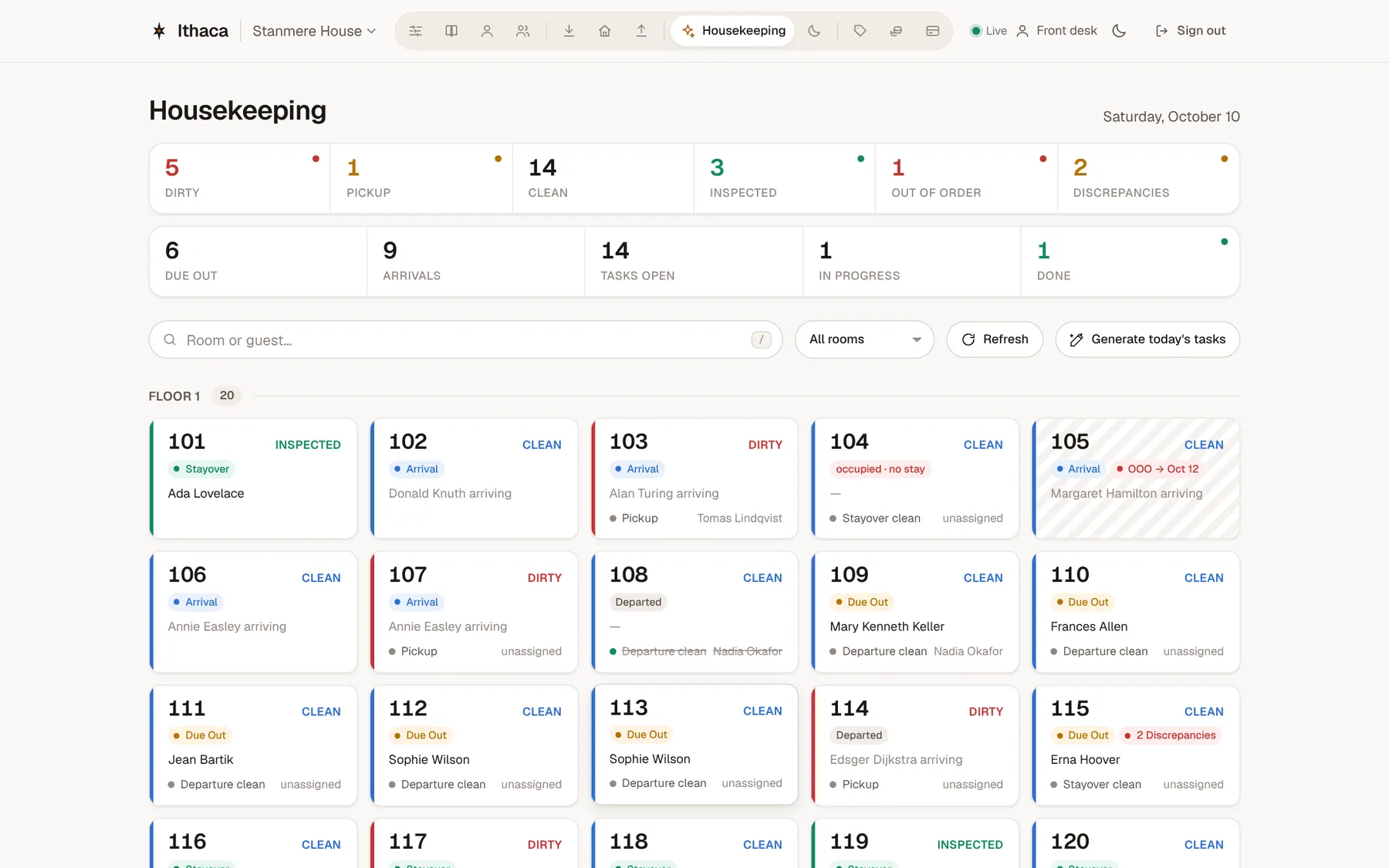
Step 13 of 16 · Front desk
Room 108 is ready downstairs
The desk's housekeeping board updated the moment she tapped clean — nobody had to phone it through.
Click the highlighted control to go on.
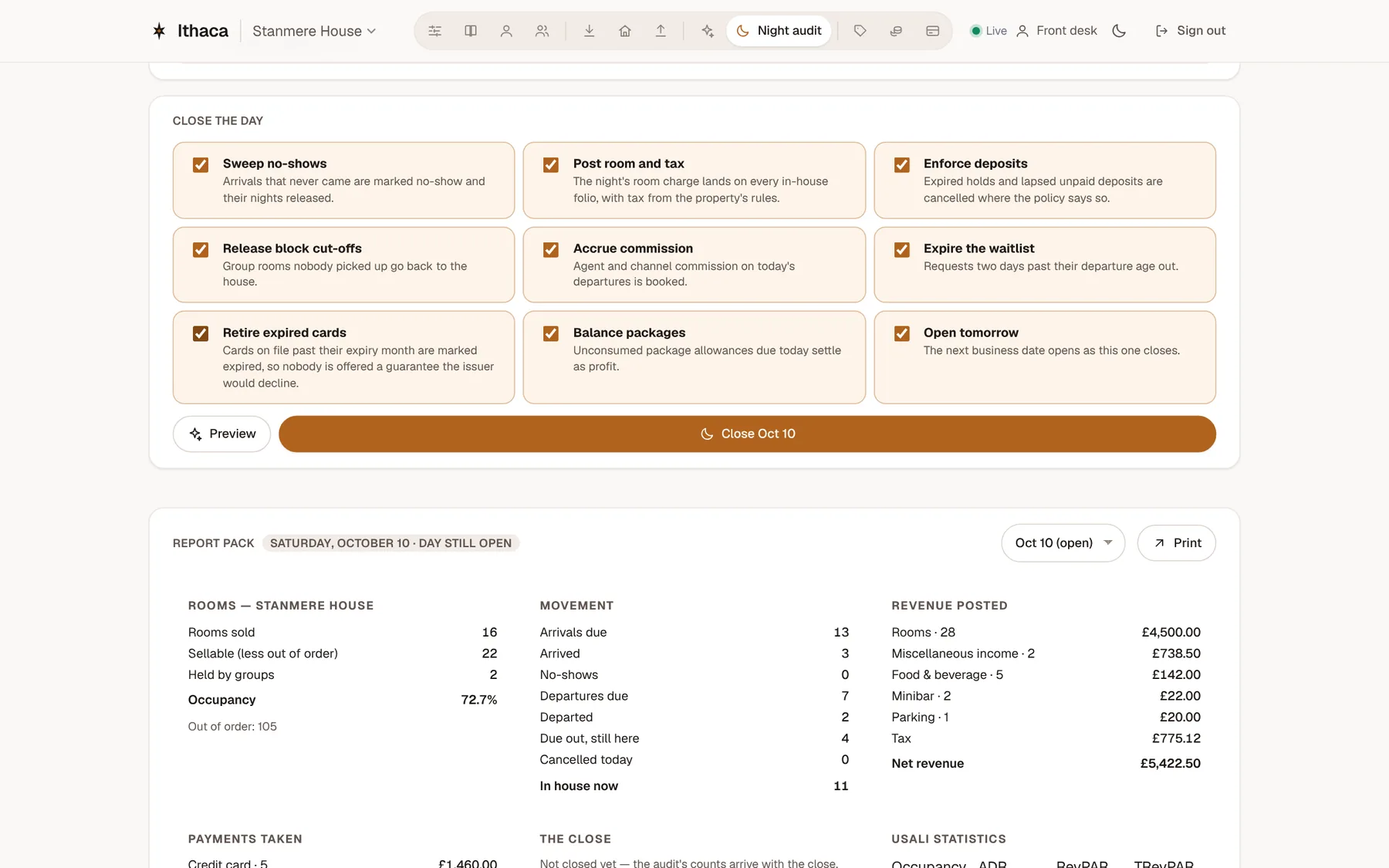
Step 14 of 16 · Front desk
The end of the day
The night audit lists what's still unfinished — guests who never arrived, departures still in house — before you start. Preview what closing the day will do.
Click the highlighted control to go on.
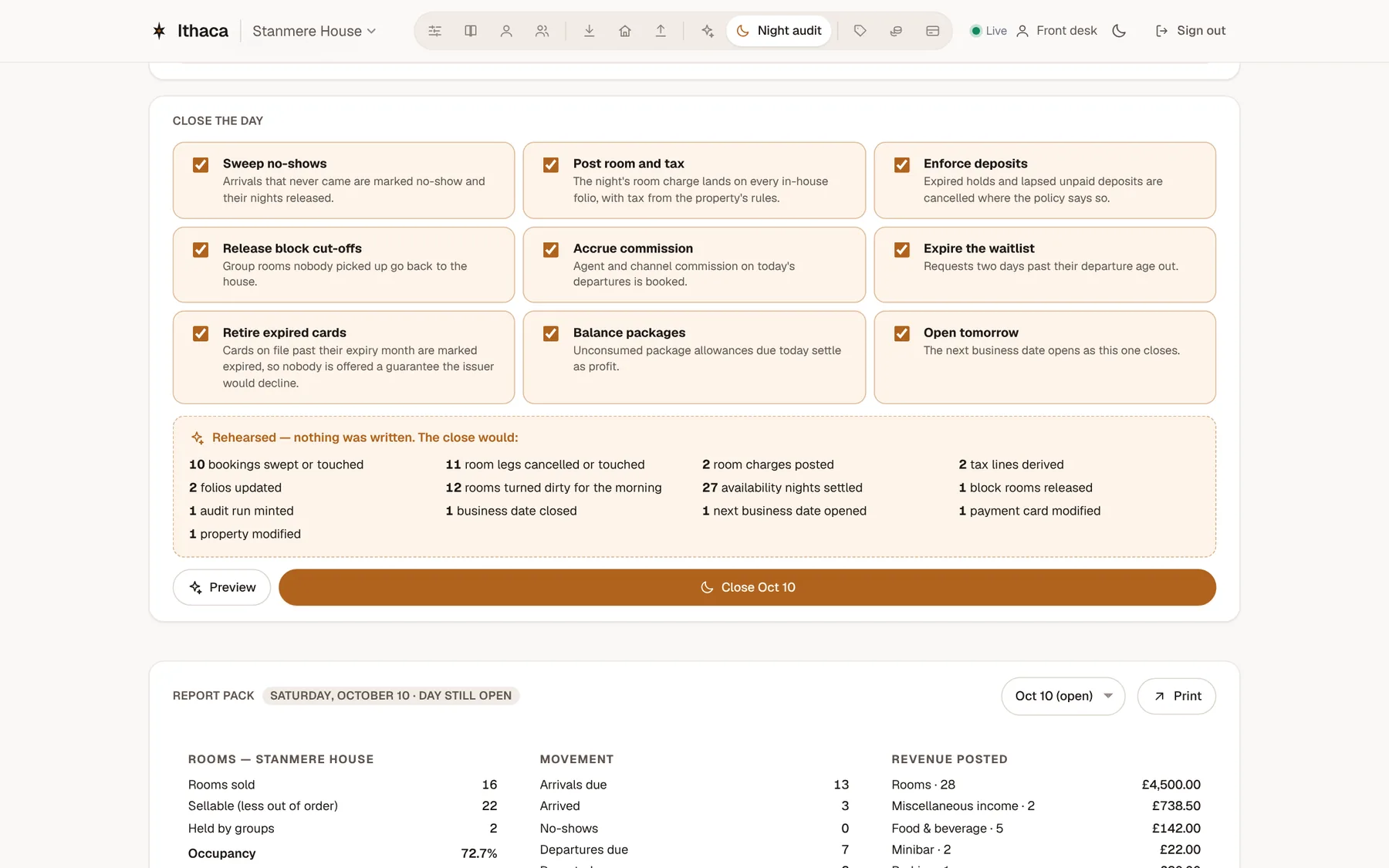
Step 15 of 16 · Front desk
See it before it happens
Exactly what the close will post — room charges, tax, no-shows — before anything is written. Then close the day.
Click the highlighted control to go on.
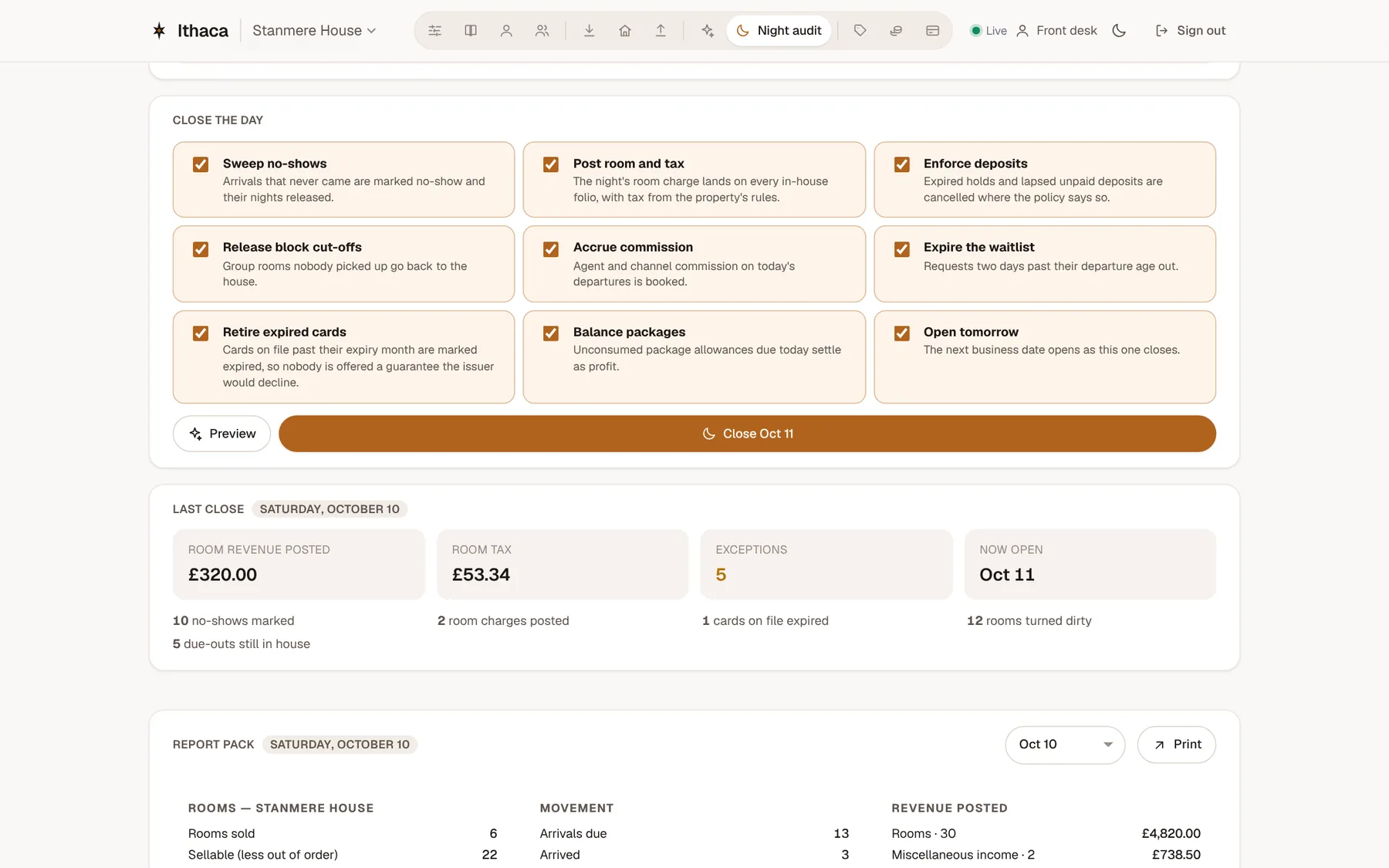
Step 16 of 16 · Front desk
The day is closed
Every figure on the report ties back to a charge on a guest's bill. That's a day at the front desk in Ithaca.